

| Board of Trustees • President • Human Resources • Business Services • Organizational Reference |
   |
Online Services |
|
| Webmail • Schedule • Login |
|
Credit Courses Credit Courses |
Online Services Tutorials |
|
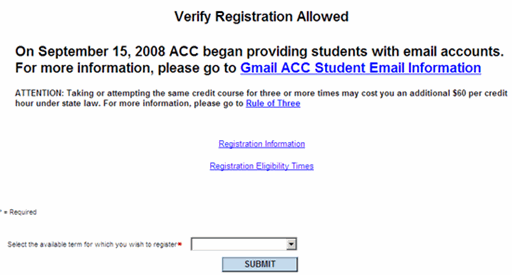
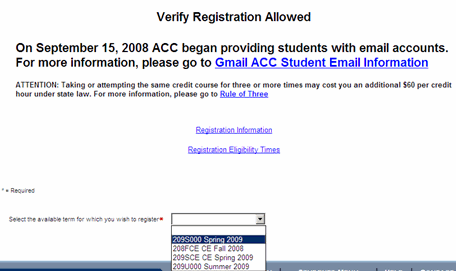
ACC Online Services for Students Register/Add Classes Use the Register and Add Classes link to add classes. Select a term for which you would like to register and click Submit.
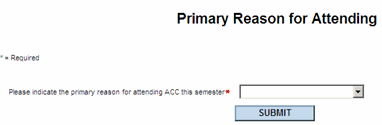
You will then be prompted to provide your reason for attending Austin Community College. Please enter your primary reason for attending and click Submit.
Next, select your search criteria. You can optionally enter more information, such as start and end dates or classes that meet on certain days or at specified location. Click Submit to get your search results. Note: Be sure to keep your search fairly narrow to get a quicker response time.
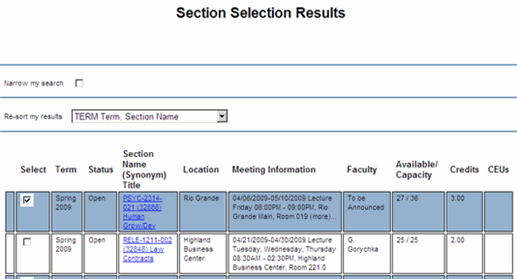
You will get a list of available classes. Check the boxes next to any classes for which you want to register. Be sure that the classes do not conflict in time or location. Then click Submit.
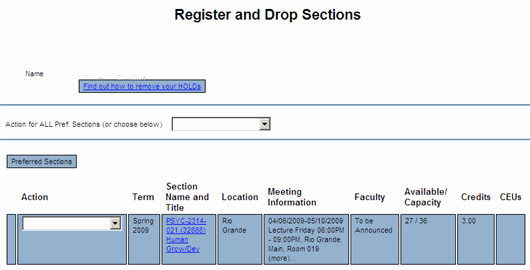
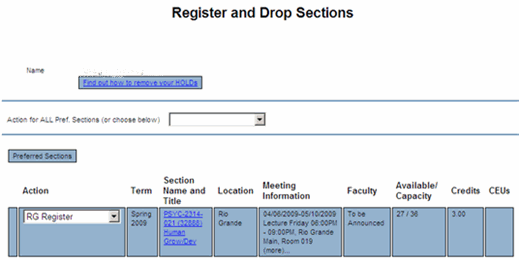
This screen lists the preferred sections which you selected. Use the drop-down boxes to register for a class. This screen also displays any other classes you may already be registered for. Click Submit when finished.
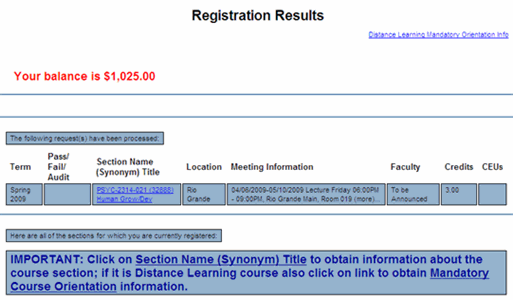
Your registration results will be displayed. You can use the navigational links at the bottom of the screen to access other registration screens.
If you have a question about your schedule, grades, transcript, rosters, or the ACC Course Schedule, please visit a campus Admissions Office, or send an email to admission@austincc.edu. |


| Austin Community College District • Austin, TX