


Order/View Textbooks
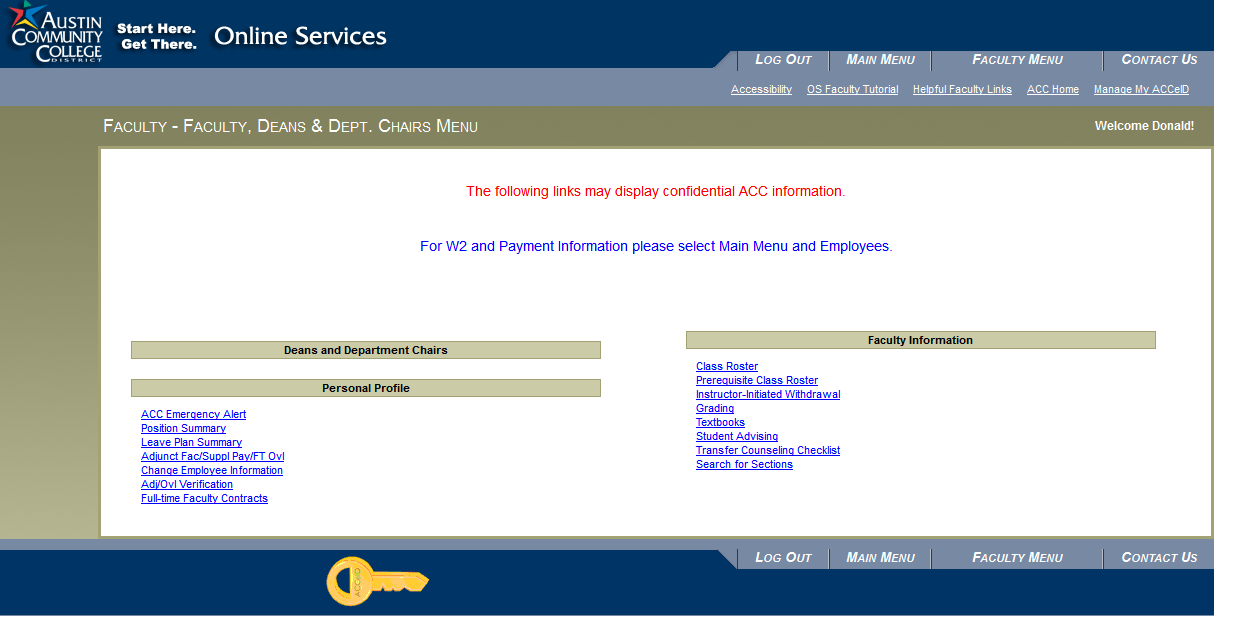
1. Click the Textbooks link under Faculty Information from the Faculty Menu screen.
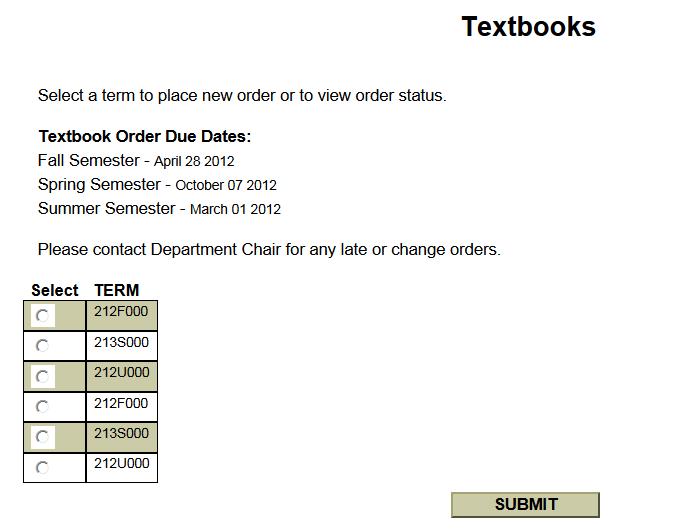
2. Select the Term to view the sections you are assigned to. Click Submit.
3. If you receive an error message and no sections are listed, then there are no classes assigned for the term selected; click the web browser's Back arrow button to select again and to verify that the wrong term was not selected.
4. A list of assigned courses will be displayed for the term selected.
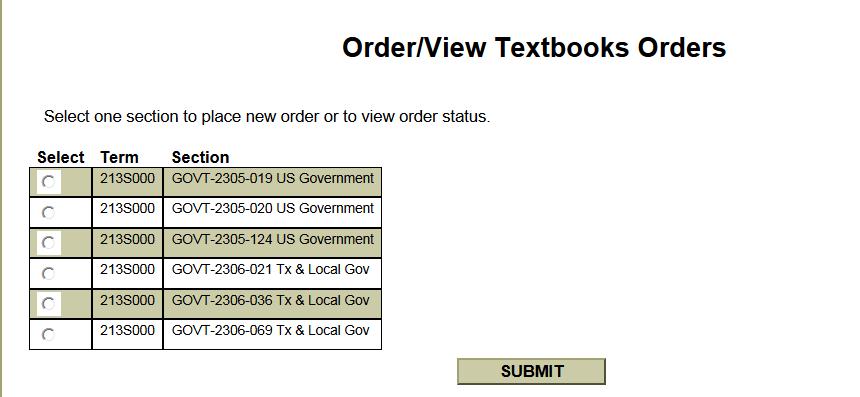
5.Select a section to view the approved textbook inventory for the course and to view the status of an existing order; if permissible by your department and within the ordering dates, a new textbook order can be entered.
6.The list of all department approved textbooks/materials for the selected section will display and the status of any previously entered textbook orders. Note in the Status column: 'New' indicates the order for the ISBN has been entered, however it has not been transmitted to the Bookstore for processing; ‘Ordered’ indicates the order has been transmitted to the Bookstore for processing; and ‘Cancelled’ indicates a cancel order has been transmitted to the Bookstore.
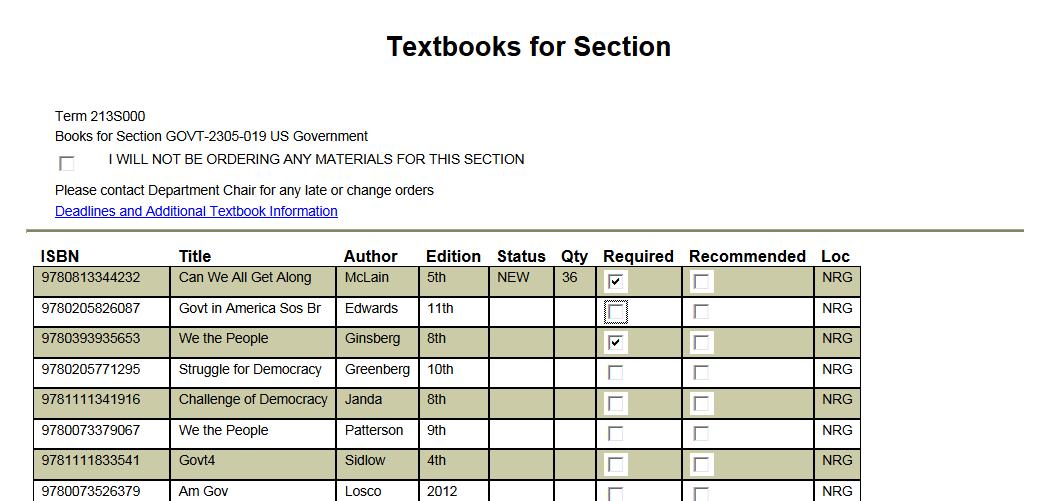
7.To enter a new order for an ISBN that does not have any status noted, check off whether the desired ISBN is ‘Required’ or ‘Recommended’ for your class. Once all desired ISBNs have been selected, click on ‘Submit'.
8.If you will not be ordering any textbooks/materials from the approved inventory for your class, check the box by the statement ‘I WILL NOT BE ORDERING ANY MATERIALS FOR THIS SECTION’; textbook orders will now not be able to be entered for this particular section. Once checked, then no orders will be permitted. Likewise if a textbook order has already been place, then this box cannot be selected; once you have ordered textbooks, you cannot check this box. Contact your department if you wish to change the status of this check box indicator.
9. Only initial orders can be placed in Online Services. Revised and cancelled orders are managed in Datatel by the academic department.
10. Once the textbooks/materials have been stocked in the campus bookstores, Barnes & Nobel will list the ISBN selections on their website via the ‘Textbooks’ link next to the section meeting information in the online schedule. Please verify that the textbook information listed on the Barnes & Nobel website matches your syllabus information entered in Lighthouse, etc.
NOTE: the Online Services Textbook Ordering feature is only one option available to faculty to enter textbook orders. It is an enhancement to the overall course materials ordering functions and does not replace the eStaffing Material Ordering feature or departmental orders.